FAQ
How to add card details to the blacklist?
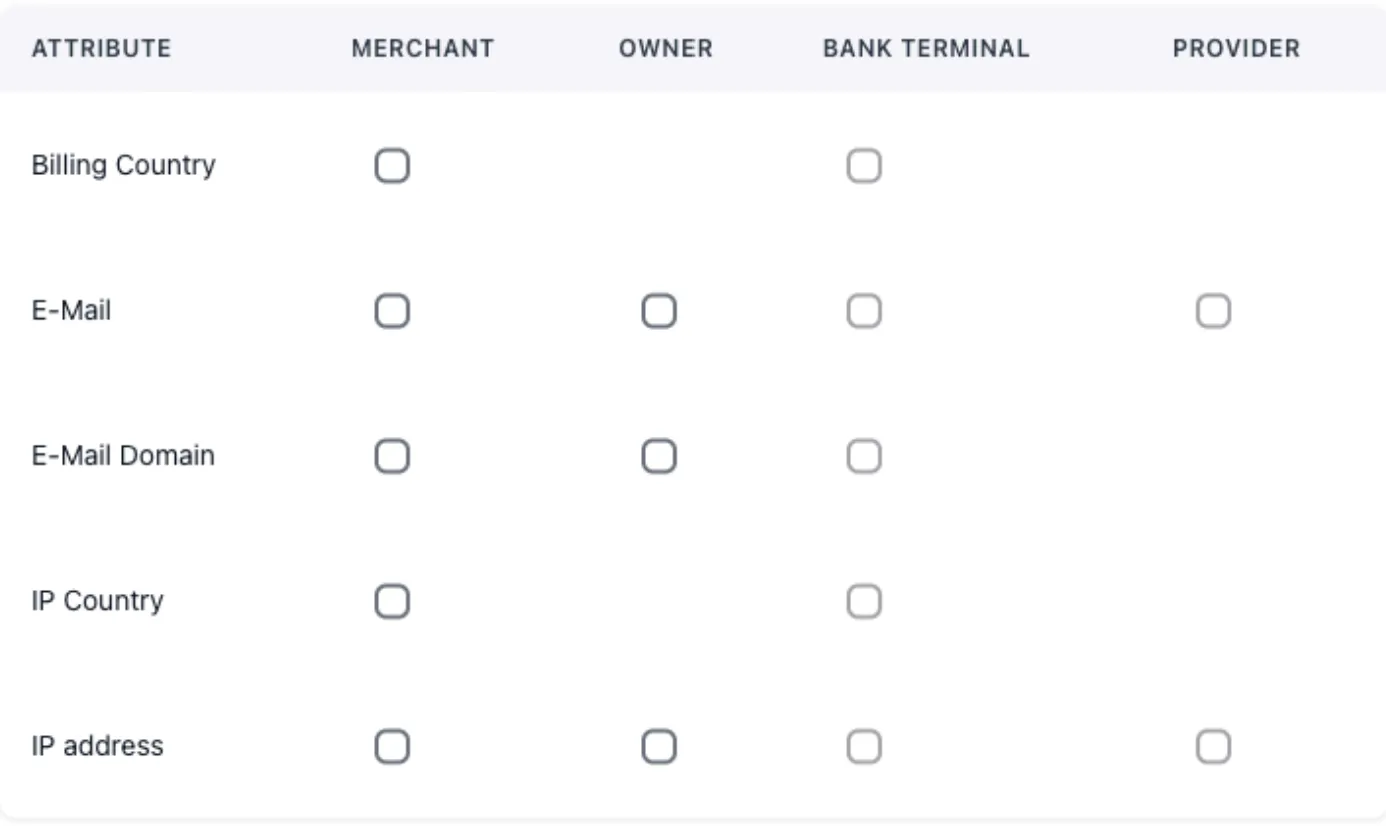
Blacklist management is divided into three groups:
-
Transaction attributes
-
Sender card attributes
-
Recipient card attributes
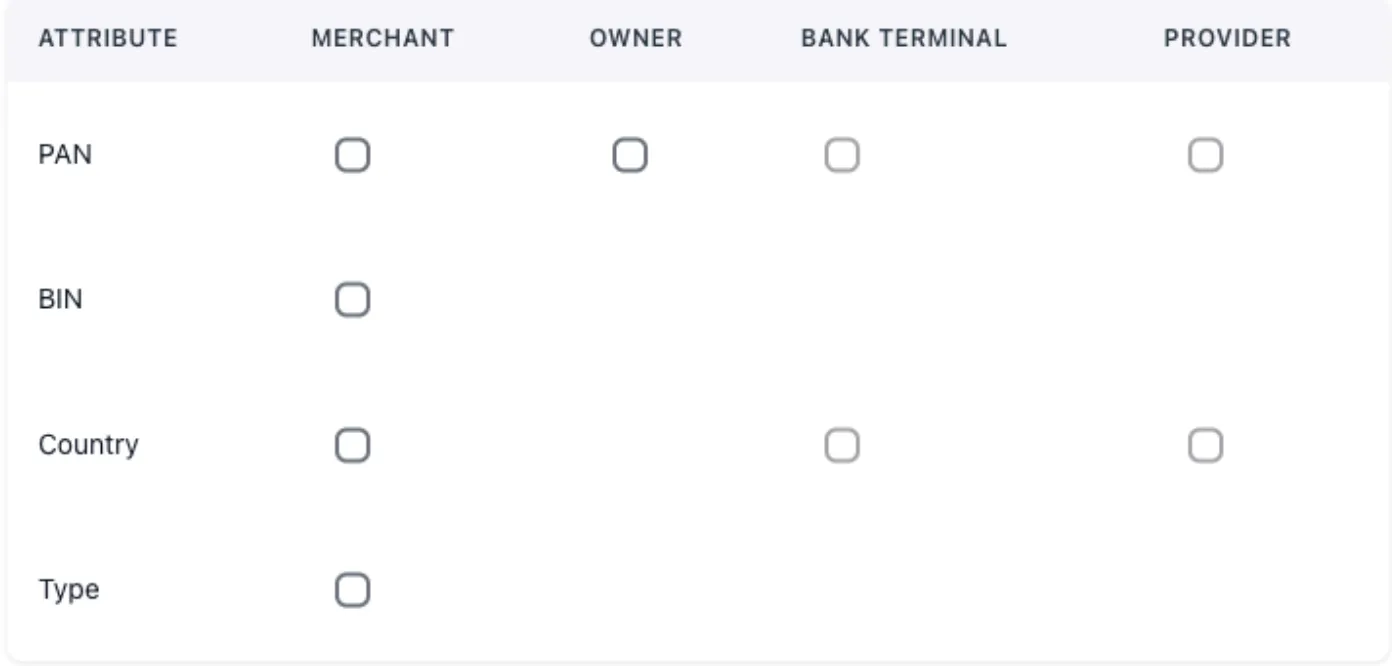
You can block attributes from a Merchant, Owner, Bank Terminal, and Provider using the parameters listed in the first column of the table. Check the corresponding box if the field is available.
How to manage transaction statuses?
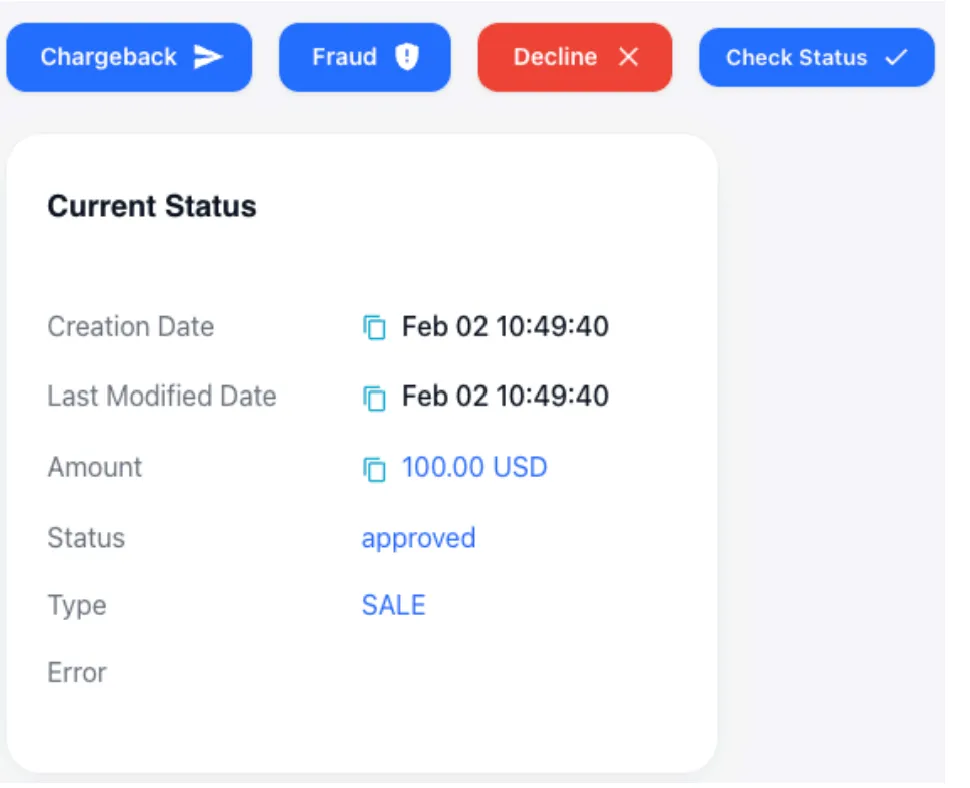
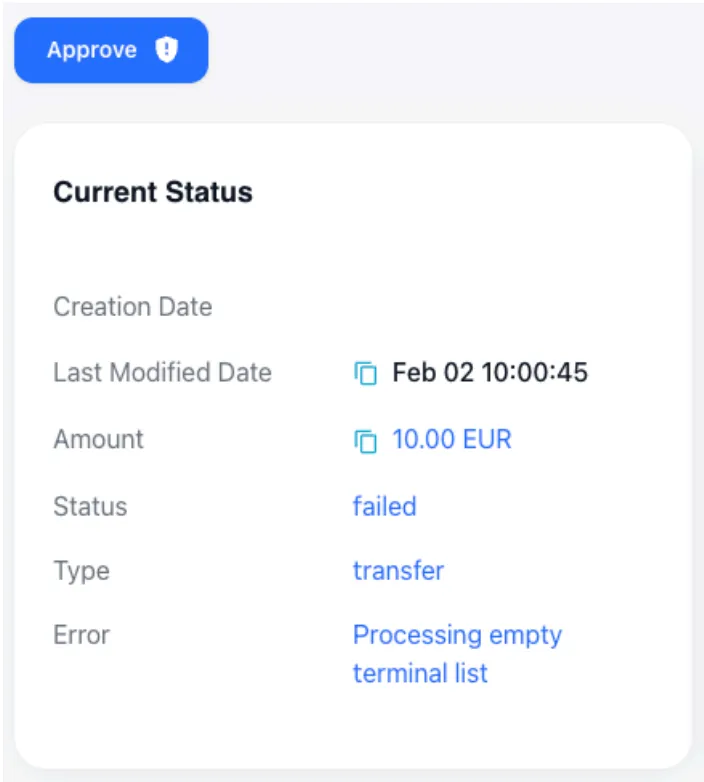
These actions let the system owner reconcile transaction statuses when there are discrepancies with the provider, and register events received from the card schemes.
-
Decline — cancel a successfully processed transaction.
-
Approved — confirm an unsuccessfully processed transaction.
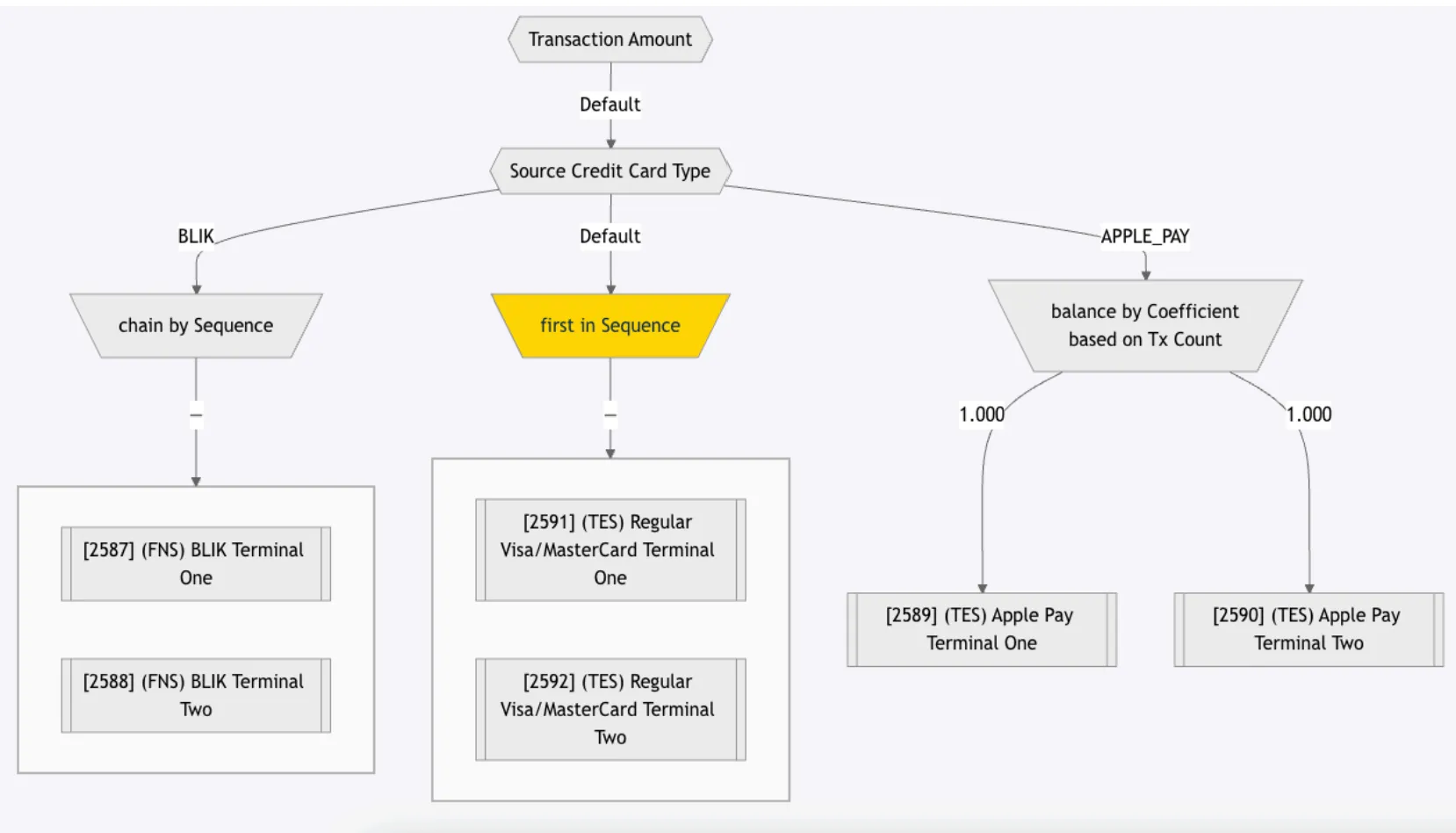
How to configure routing and cascading in Route?
General settings
Transaction routing is available for any initiator transaction type (Deposit, Withdrawal, Account Verification, and others), and doesn’t depend on the payment method type.
How to exclude bank terminals from cascading?
To exclude bank terminals, you can use the following tools:
-
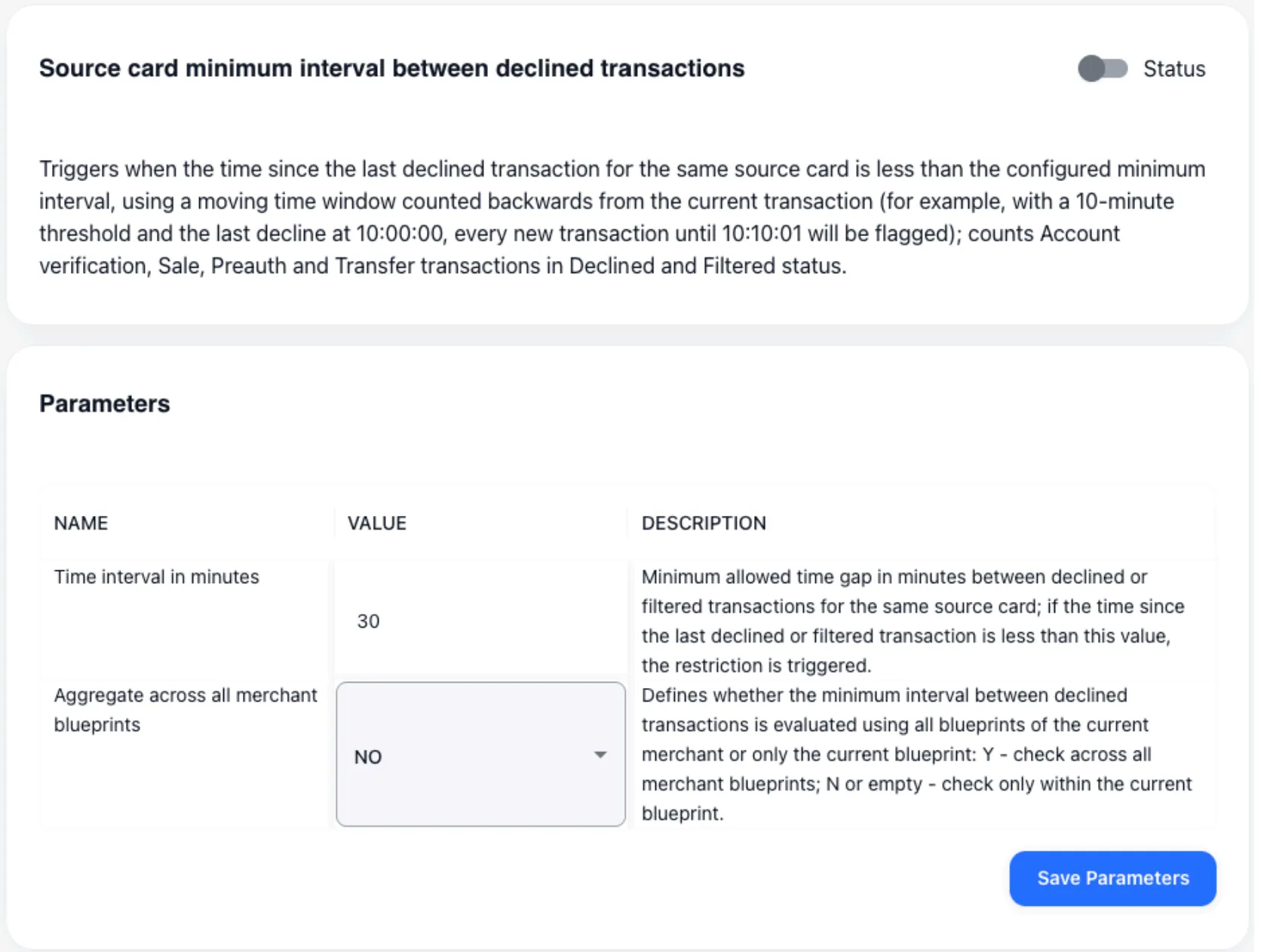
Restriction at the bank terminal level — on a decline, it blocks the user from reusing this terminal for 10 minutes. The restriction is configurable.
-
Traffic splitting by different financial instruments — client bases can be clustered by a set of financial instruments. The bank terminal specifies the instrument name, defines a group of terminals, and enables the restriction. The client is automatically bound to the terminal (and instrument) that processed their first transaction. After that, operations using other instruments in the group are blocked for that client. If all terminals with the bound instrument are disabled, the client is bound to a new one on the next transaction. The client is processed only through the first bound instrument of the group.

-
Processing limits — define the total restrictions applied to a provider or bank terminal. If the limits are exceeded, that entity is automatically excluded from processing, and the remaining bank terminals in the group are re-cascaded. Processing limits are available for all element types in the infological model.
Currently, processing limits are configured by the support team. Self-configuration is expected to become available no earlier than Q2 2026.

-
Automatic cascade transfer on decline — on a decline from the provider, the transaction is automatically passed to the next provider in the cascading group. This transition can be conditional (based on a specific decline reason) or unconditional (for any reason). If the provider’s response for issuing payment/transfer details is processed correctly, cascading stays maximally transparent to the client.
How to redirect URL?
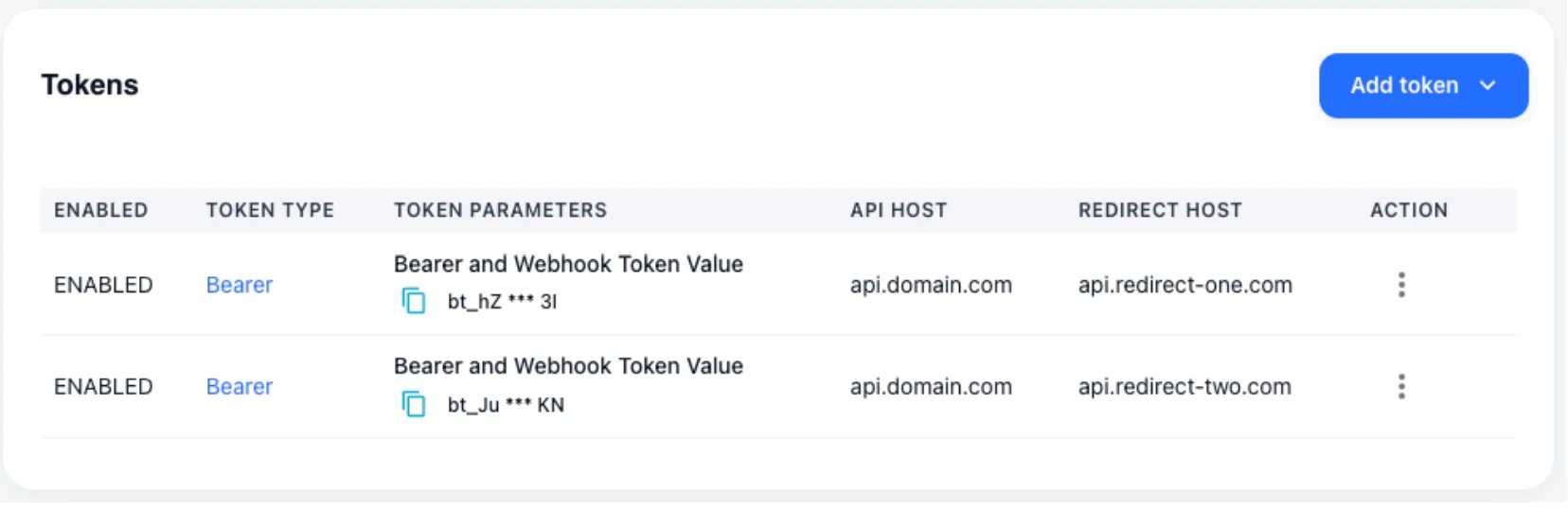
Within a single merchant integration point, you can specify multiple domains for rendering the card data input form or running client authentication.
In this configuration, the merchant sends transaction creation requests to one host, while the client is redirected to another. Depending on the transmitted token, the Redirect host can be changed quickly and independently — without involving the merchant — for example, if the domain has been delegated for some reason.
How to configure Merchant Customer info Generator?
The system includes sets of generators that create a realistic picture of the client’s existence. If needed, you can generate with state preservation:
- email from a list of predefined client emails
- address based on OpenStreetMap
- phone number according to the client’s country
- date of birth
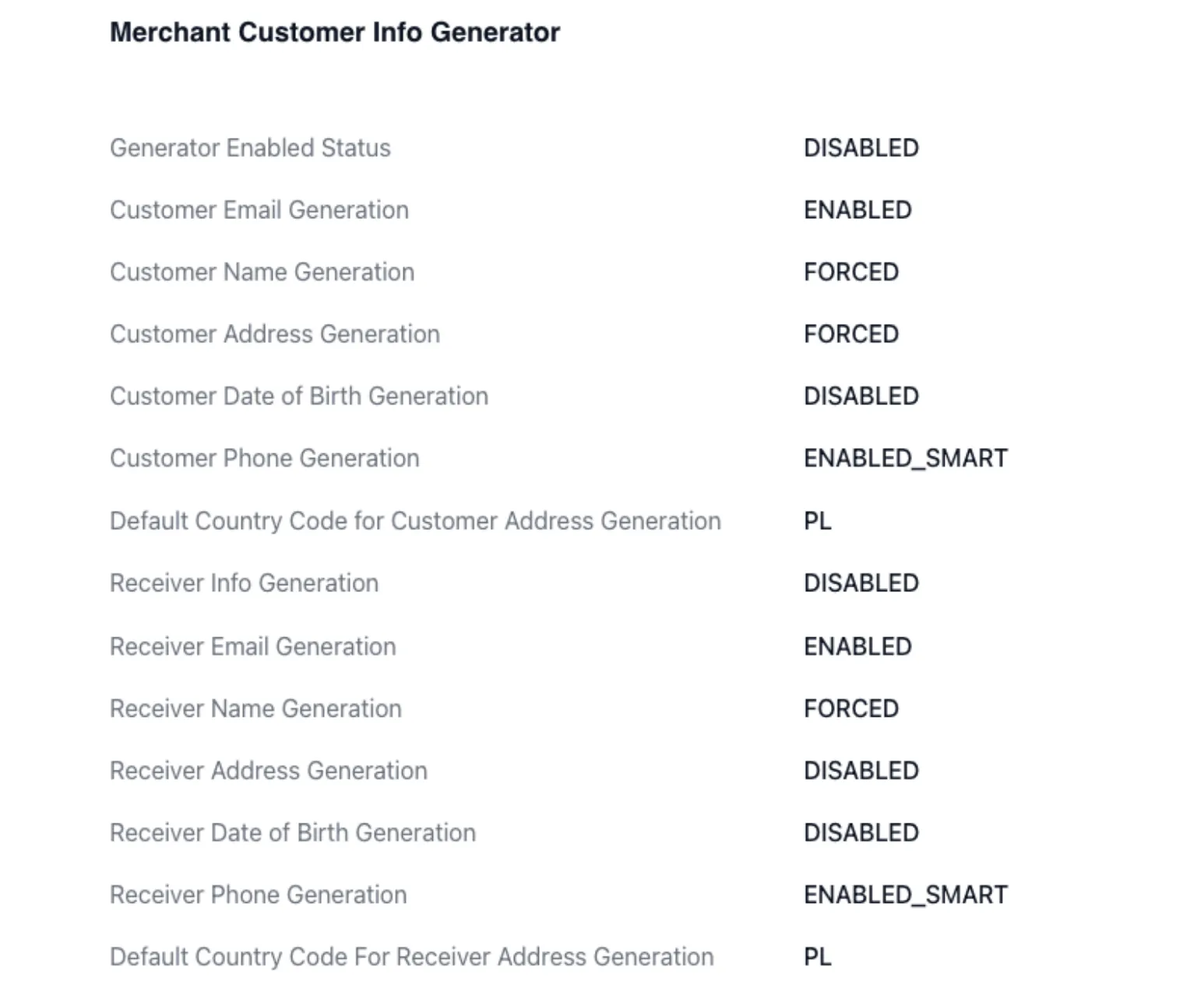
After generation, this information is bound to the client and used for later operations. If it was generated during a Deposit, it can also be applied automatically during a payout. Binding is performed to the card number or IBAN.
How is the infological model structured?
The system has a flexibly configurable infological model that allows hiding and encapsulating logic. The following elements are usually distinguished:
- Merchant
- Traffic source
- Requestor
- Merchant integration point — manages the keys provided to the merchant; can include FTD/STD and any other business restrictions.
- Blueprint
- Routing and cascading logic — including transaction restriction settings at the level of the client performing the operation.
- Bank Terminal — represents a merchant outlet or an instance of a legal entity/cash register opened with the acquirer; manages restrictions on the cash-register side and the credentials received from the provider.
- Channel
- Company opened with the acquirer — centralized assignment of common settings for bank terminals within a single legal entity.
- Provider
- Acquirer — created and configured via support.
Which types of users can see transactions?
The system separates transaction visibility using tree-like logic, but doesn’t allow dynamically granting per-transaction privileges to users.
- Super Manager — the maximum access level granted to clients. This role can create system owners: when a business is split into Red and Blue, two users can be created to manage the system independently. The user who assigned them sees all their actions and transactions, and can adjust system settings if needed.
- System Owner — can manage merchants and configure all elements of the infological model except the provider.
- Merchant — transaction visibility is limited to their own integration points.
Each user type has additional roles (for example, support or finance). Privileges available to these roles can be discussed within reasonable limits.
All actions performed in the system are logged, and you can roll back to a previous version of settings through support.
How is the financial module structured?
A tariff can be specified for each element of the infological model:
- For a bank terminal — the acquirer tariff.
- On a blueprint — the tariff for selling this channel to the merchant.
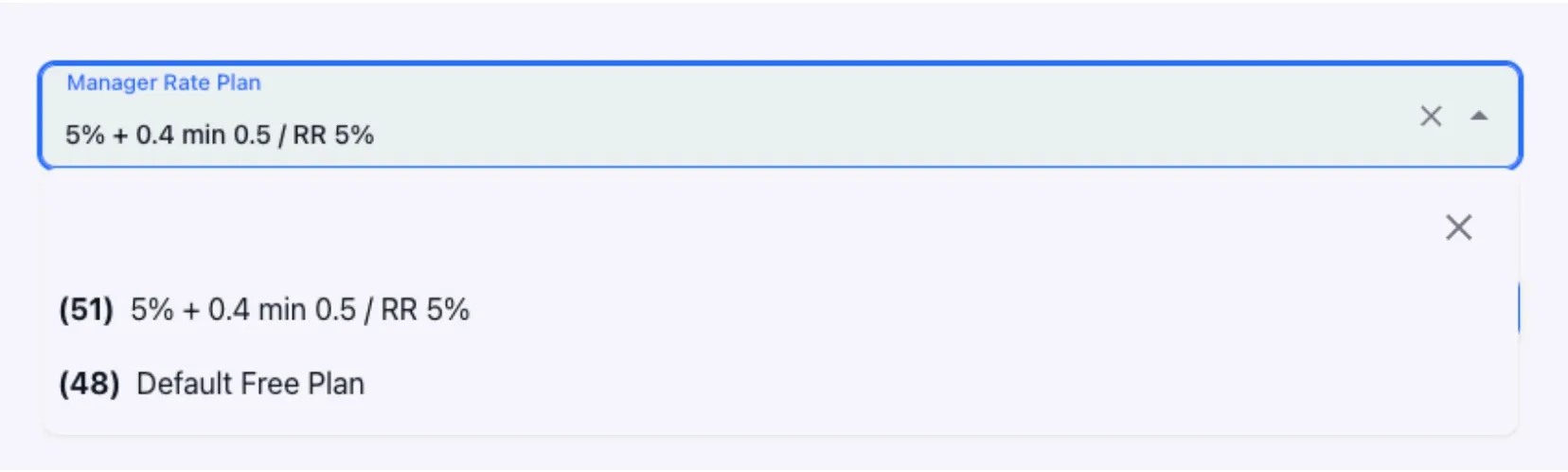
To synchronize tariffs, batch upload of existing tariff plans is possible. The following are supported during upload (for any transaction type):
- Status
- MDR
- Flat
- Minimum commission amount
- RR
The applied tariff is displayed in the personal account, in the transaction details.
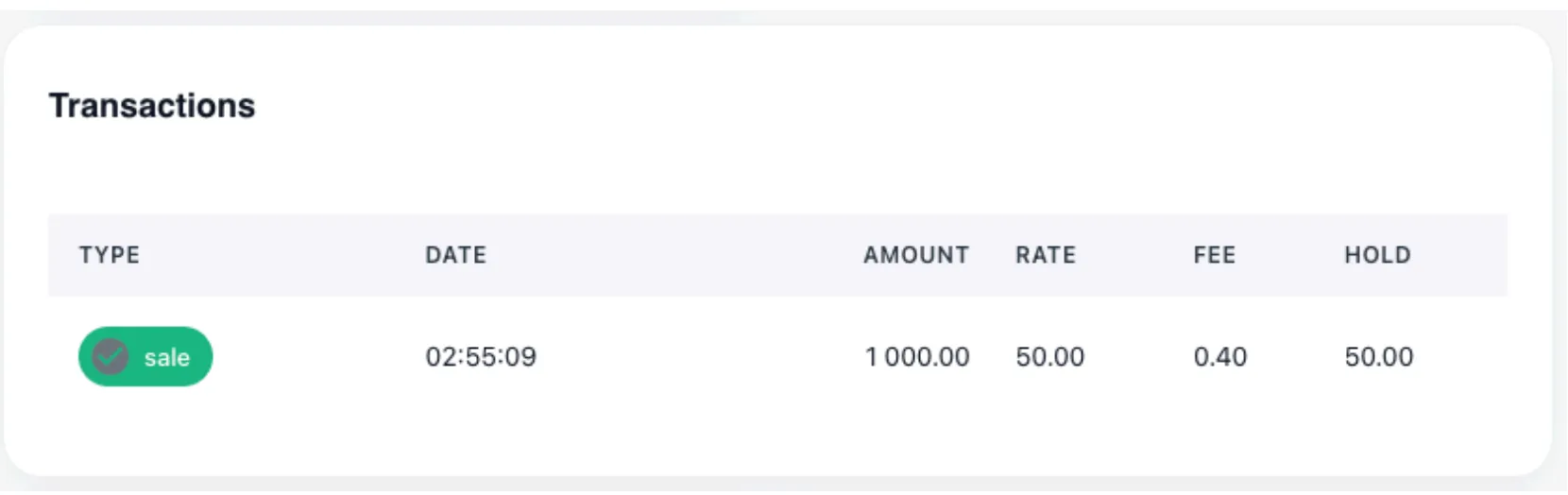
In addition, when onboarding a merchant, automatic balance keeping can be activated for settlement or payout fixation purposes.

With correct system configuration, this data can be returned not only on system screens, but also in user and transactional reports.
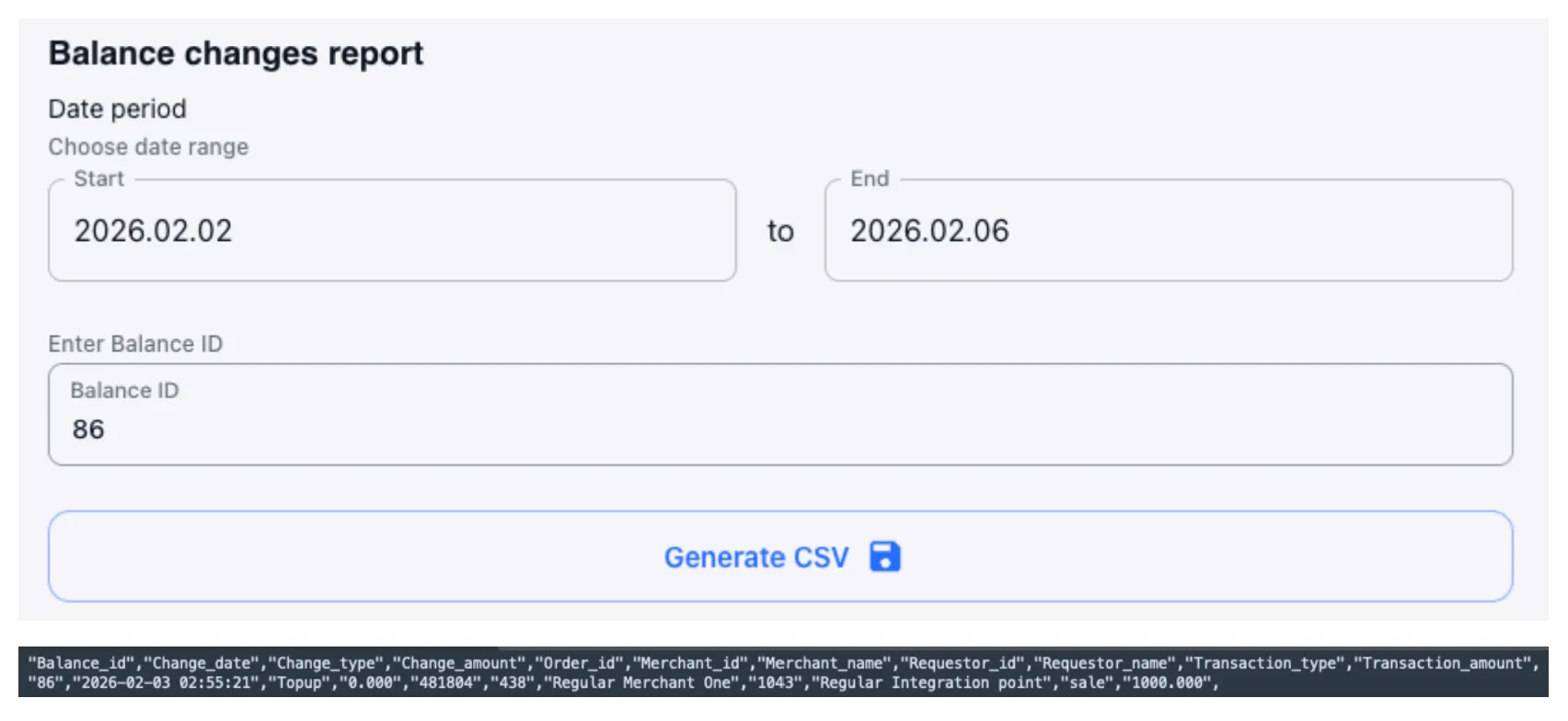
Through support, you can configure the default balance in detail, as well as adjust existing balances for each merchant and currency.
How easy is it to automate work with the system? Is API integration supported?
Work with the system is carried out through a visual interface. Client migration can be performed with the help of company engineers.
The UI itself is implemented as a REST API and can be easily automated if desired. The system also includes a dedicated API for retrieving heavy transactional data.
How does the system determine and set the final transaction status?
Manual or batch status changes are regular practice. If needed, you can subscribe to events indicating mismatched provider responses within the same order.
Setting the final transaction status depends on the provider’s implementation: either by status or by callback. If a provider response is absent for a prolonged time, you can configure a forced status check window.
Network and Provider Tokenization are supported, including complex auto-tokenization logic, depending on the acquirer’s API.
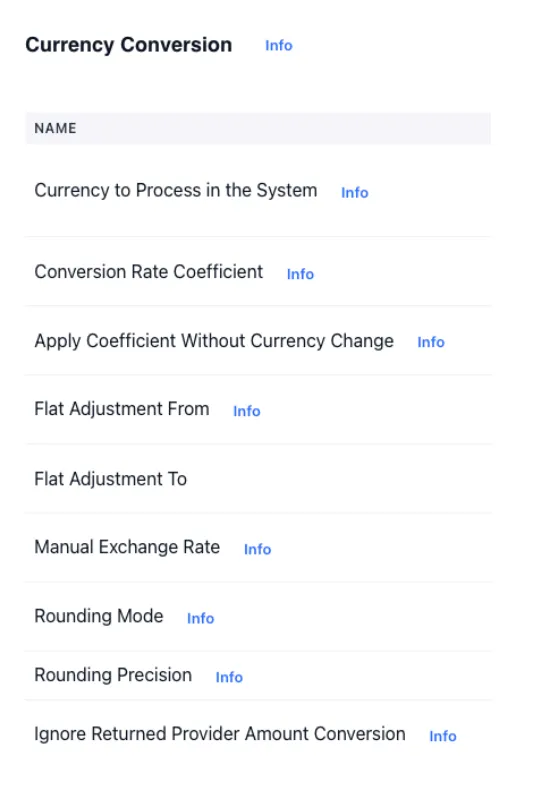
Currency conversion at the system’s internal rate (source: https://openexchangerates.org/faq) is possible at the bank terminal level. This lets you configure merchant integration points in one currency while bank terminals operate in another. A set of settings is available to manage the exchange rate at the moment of transaction processing.