
Limits
Limits are traffic-control rules that cap the number of operations or their total volume over a selected period. At their core, they are a risk-management tool: a manager sets a ceiling on turnover or transaction count in advance, which makes it possible to detect abnormal behavior (for example, a spike in reversals or a series of small operations during card testing) before it leads to losses. While traffic stays within the limit, processing continues as usual; as traffic approaches the threshold, the limit is highlighted, and once it is exceeded the limit either only signals or suspends further transactions, depending on the configuration. A single limit is a combination of whose traffic, over what period, for which operations, and with what threshold.
Get the Limits List
Open the Limits tab in the left-hand menu.
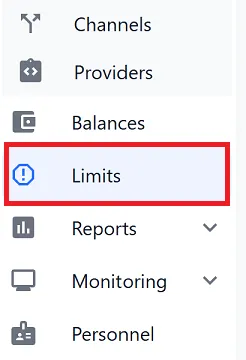
A table of all created limits opens. It shows the current utilization of each rule, and from here you can also edit or delete it.

| Column | What it shows |
|---|---|
| Id | The unique identifier of the limit. |
| Period | The limit’s active period. |
| Manager | The manager the limit belongs to. |
| Summarize | The counting method: Amount or Count. |
| Limit value | The configured maximum value (for example, 0.00 CAD or 1 223.00 AED). |
| Currency filter | The currencies the rule applies to. |
| Transaction type | The operation types under the limit: capture, reversal, chargeback, preauth, sale. |
| Criteria | Additional conditions: merchants, bank terminals, card types, and more. |
| Suspend traffic | Whether traffic is suspended when the threshold is exceeded. |
| Current limit value | The current percentage of the limit used. |
| Limit expires | The date and time when the limit expires. |
| Status | Whether the limit is enabled or disabled. |
| Actions | The Edit or Delete actions for managing the limit. |
Create and Edit Limit
To create a new limit, click Create limit on the Limits tab; to edit an existing one, use the Edit action in its row. Both open the same form with the settings below.
| Field | Required | What to enter |
|---|---|---|
| Manager | Yes | The manager whose traffic the limit applies to. |
| Period | Yes | Daily, Weekly, or Monthly. Defines the calculation window and when the counter resets. |
| Transaction type | Yes | One or more types: capture, reversal, chargeback, preauth, sale. |
| Criteria | No | Narrows the scope: requestors, merchants, bank terminals, providers, card types. Without criteria, the limit covers all of the manager’s traffic. |
| Summarize | Yes | Amount (by total) or Count (by number). |
| Suspend Traffic | Yes | No — the indicator turns red, but transactions still go through; Yes — transactions are suspended once the threshold is reached. |
| Limit Value | Yes | The threshold value: an amount (for Amount) or a number of operations (for Count). |
| Currency filter | No | The currencies the limit applies to. Leave it empty to count operations in all currencies; select specific currencies to count only those. |
| Currency | Yes | The limit currency; operations in other currencies are converted to it. |
Once saved, a new limit appears in the list on the Limits tab with its own Id, and its transaction counter starts from zero for the current period.
After editing, the limit keeps the same Id and its counter is not reset — the new rules simply apply to the ongoing count.
Create Limit Example
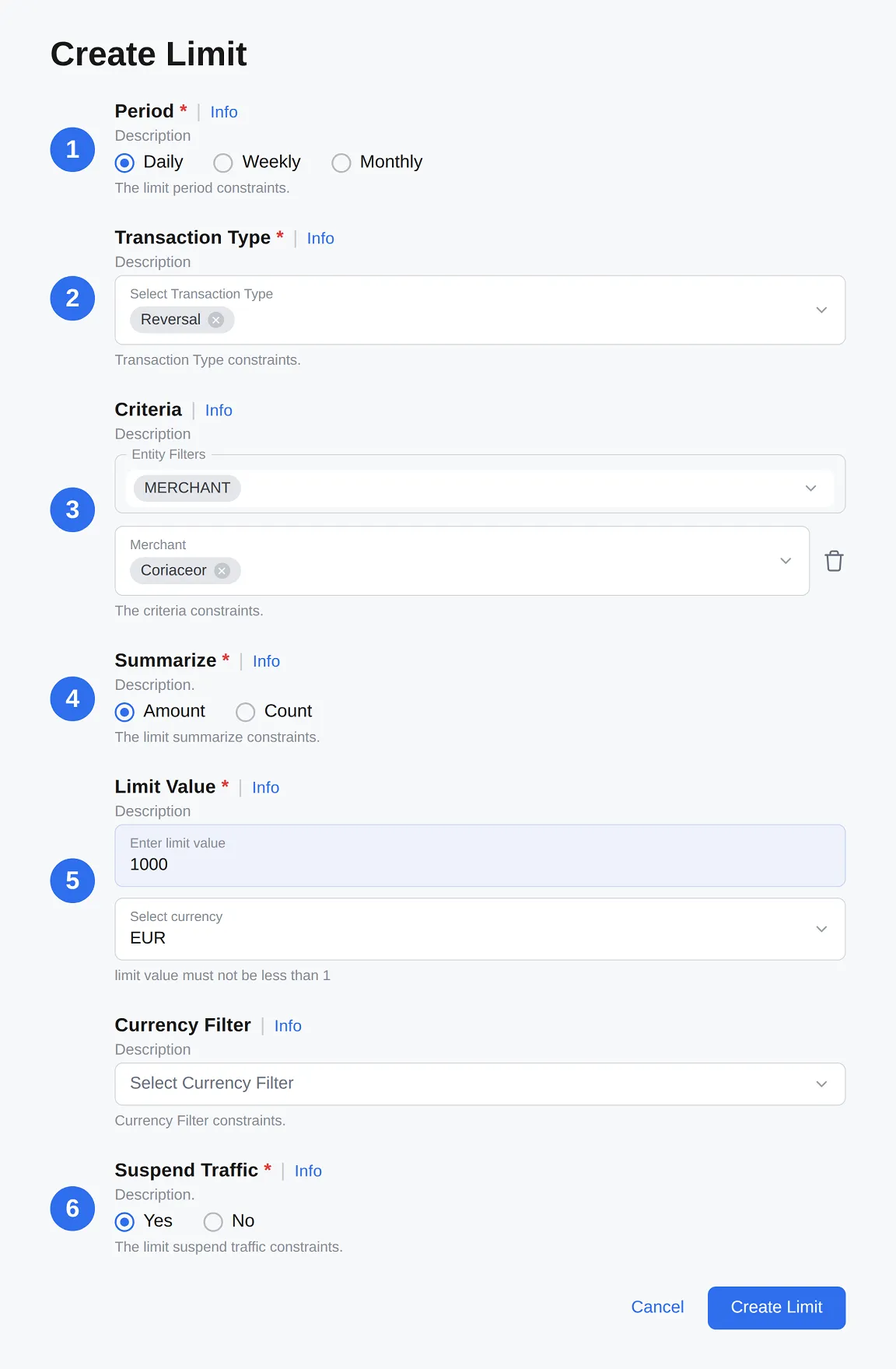
Example: a manager wants reversals for one specific merchant to stay under 1000 EUR per day. The field values for this case are:
-
Set the period to
Daily. The limit is calculated on a per-day basis. -
In Transaction type, select
reversal. Only reversals are counted. -
In Criteria, choose
merchants→selected merchant. The rule is narrowed to a single merchant rather than all of the manager’s traffic. -
Select
Amount. This limits the total amount rather than the number of operations. -
Set the threshold amount to
1000 EUR. Reversals in other currencies are converted to EUR. -
Set Suspend Traffic to
Yes. Reversals should stop once the threshold is reached.
As a result, as soon as reversals for this merchant reach 1000 EUR within a day, further reversals are suspended; at the start of the next day, the counter resets.
Where a Triggered Limit Is Visible
A limit can be applied at different entity levels, so the effect of reaching the threshold differs depending on the criteria used. The behavior below applies only when Suspend Traffic is set to Yes; with No, the limit only signals and traffic is not affected.
| Limit level | What happens when the threshold is reached |
|---|---|
| Bank terminal, Provider | The bank terminal or provider is excluded from routing while the transaction is being processed, and the reason is recorded in the transaction details. |
| Requestor, Merchant | The transaction is not created at all — the API returns the response immediately. |
| Card type |
Troubleshooting
The Create limit button is inactive
Not all required fields are filled in: Manager, Period, Transaction type, Summarize, Suspend Traffic, Limit Value, and Currency.
The limit indicator is red, but transactions still go through
Suspend Traffic is set to No. This is expected behavior: the limit only signals. To stop traffic, switch it to Yes.
The limit triggers more broadly than expected
No Criteria are set, so the rule applies to all of the manager’s traffic. Add a condition — a merchant, terminal, or card type — to narrow the scope.
Operations in a different currency are included in the counter
This is intended: they are converted to the limit currency at the current exchange rate.
The limit is not counting the expected operations
Check the selected Transaction type and the configured Criteria.